Setting up a TaskRouter Workspace: Add and Configure Workers
Workers represent the people or processes that perform Tasks. In this example, Workers represent human agents handling incoming voice calls. To route calls intelligently, you match the language skills of your Workers to the language requirements of incoming callers. Both Workers can handle requests in English, but only one can handle Spanish.
With your Workspace open in the TaskRouter console, click 'Workers' then 'Create Worker'.
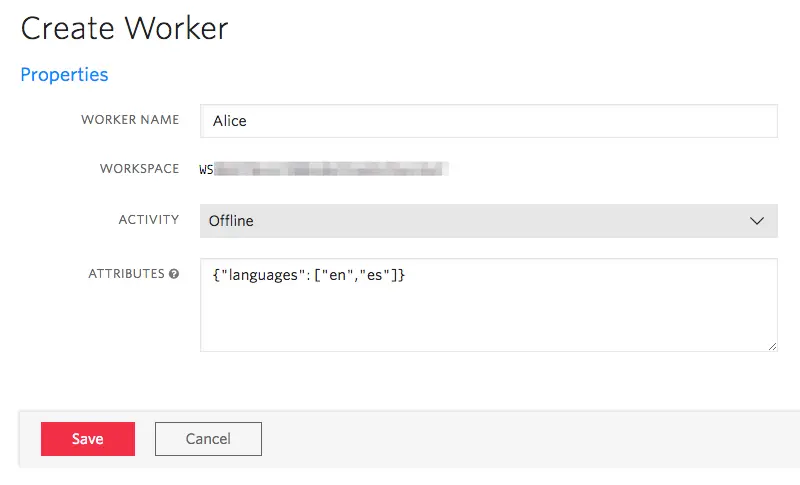
The first Worker, Alice, can handle both English and Spanish language Tasks.
Worker attributes are described using JSON. Add a languages field to Alice's Attributes object and set its value to an array, as below.
Alice's Worker Attributes Expression: {"languages": ["en","es"]}
Repeat the same steps. Create another Worker named Bob who can handle Tasks only in English.
Bob's Worker Attributes Expression: {"languages": ["en"]}
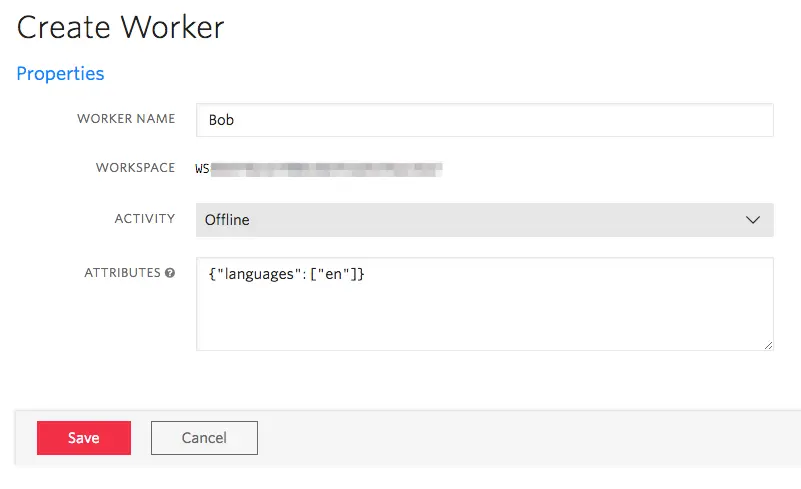
You now have two Workers with attributes that reflect their respective skills.